A Claude Code skill that builds your PowerPoint decks (so you can build more with Claude).
Written with the help of Claude Code. Fitting, given the whole point. Hand the heavy lifting to AI, keep the creative work for yourself, and spend the time you save building the next thing.
When I build a pitch deck, the time split looks like this: 20% writing the actual story, 70% nudging text boxes and balancing whitespace, 10% second-guessing the cover slide. The story is the only part the prospect cares about. Everything else is hygiene.
That ratio is upside down, and it scales the wrong way. If your output is decks, every deck is a tax. The fix is not better drag and drop. The fix is to stop drag and dropping at all.
This post is about a Claude Code skill I built called /build-spicy-deck. It turns a one-paragraph brief into an eleven-slide branded .pptx in about thirty seconds. I edit the message in YAML, I do not touch a text box, and the time I get back goes into building the next skill.
Here is what the workflow looks like, end to end. Two decks, two color systems, narrated by a robot. Fitting, eh?
Repo: github.com/joshbricel/claude-spicy-deck (sanitized public version, MIT licensed).
The actual problem: layout, not content
Most "AI deck tools" make the wrong tradeoff. Tome, Beautiful, Pitch generate slides one at a time and ask you to live with whatever they decided. PowerPoint and Keynote give you total control and assume you have a designer's eye and four free hours. Neither lets you separate the message from the layout.
What I actually wanted: a template that already knows what good looks like, that I feed content into, and that produces a designer-grade artifact in seconds. When I want to recolor it for a different prospect, I want to flip one switch, not edit fourteen slides.
The thesis: deck as data
The unlock was treating slides like data, not documents. A traditional .pptx tightly bundles content, layout, and styling. You cannot surgically swap one without breaking the others. The pipeline I built separates them into three layers:
- Content lives in a YAML spec (what the slides say)
- Layout lives in slide builder functions (how each slide type is composed)
- Style lives in a theme module (palette, type scale, grid)
Render is a function: slides(spec) x layout x theme = .pptx. Change any input, the output recomposes. No manual nudging. Once content is divorced from layout, two things become possible:
- I write a slide by writing five lines of YAML, not by aligning shapes.
- The whole deck reskins via one parameter (color, mode, font), not fourteen edits.
That is the real win. The hero swap mechanic everyone gets excited about is just a side effect of getting the architecture right.
Where you actually live: the YAML spec
Writing a deck looks like this:
title: "Spicy Data · Pitch to Acme Corp"
hero: chili
mode: dark

slides:
  - type: cover
    eyebrow: "Pitch · 2026-04-28"
    title: "From bland data to spicy, actionable insights."
    highlight: "spicy"
    subtitle: "Acme Corp. A 3-week path from Tableau to AI-ready Omni."

  - type: stat
    eyebrow: "What changes with us"
    number: "80%"
    caption: "of a real Tableau migration, handled by Claude Code."

  - type: pillars
    eyebrow: "Why Spicy Data"
    title: "Four things we do differently."
    items: default

  - type: cta
    title: "Ready to add some spice?"
    email: "[email protected]"
    button: "Book an intro call"
Build it:
node scripts/build-deck.mjs my-pitch.yaml ~/Desktop/pitch.pptxYou get an eleven-slide branded deck in about three seconds. Here is the full output of a real run: a Tableau-to-Omni migration pitch, wasabi hero, light mode.
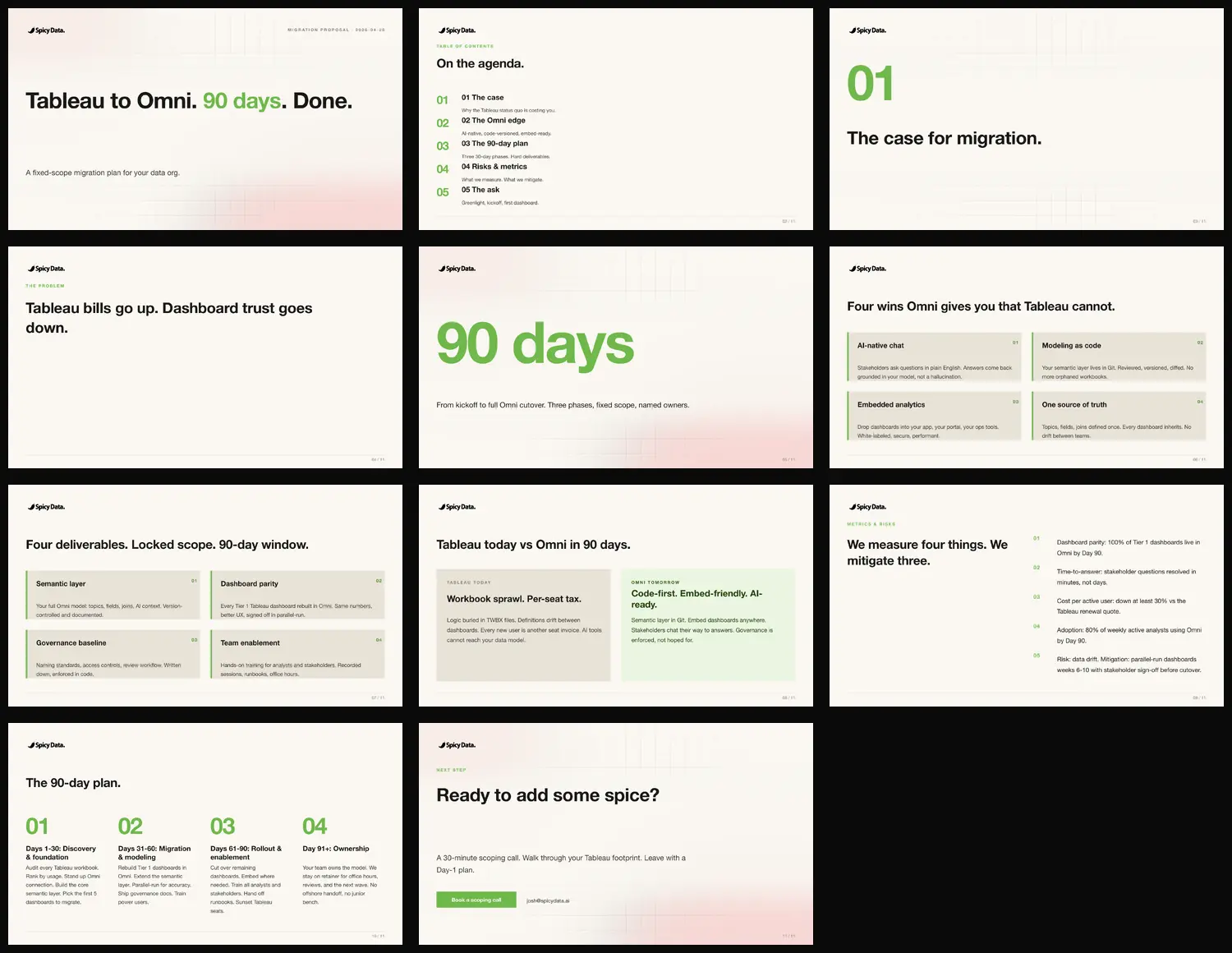
No alignment math, no font sizing, no hex codes. Every line is content I would have to write anyway. The YAML is what I edit Sunday night before a Monday call. The build script does not change. The theme does not change. I am only ever curating the content.
Slide types as composable verbs
The skill ships about a dozen slide types. Every type is a function that takes content plus theme and writes one slide:
| Slide type | What it is for |
|---|---|
cover | Editorial first slide, hero-highlighted phrase |
toc | Table of contents, 4-6 sections |
section | Numbered chapter divider (01, 02, 03) |
statement | Title plus supporting paragraph, no bullets |
stat | One giant number plus caption |
pillars / offerings | 2 by 2 grid of differentiators or products |
two_column | Before / after, old way / new way |
quote | Testimonial with oversized quote mark |
steps / engagement | 4-step horizontal process |
table | Data table with hero-tinted header |
cta | Closing call-to-action with button |
A pitch deck might be cover, toc, statement, stat, pillars, offerings, two_column, engagement, cta. A status update might be cover, stat x 4, table, cta. The slide type is a verb. The spec is the script.
A peek under the hood
The theme module is sixty-ish lines. Eight hero ramps, five neutrals, one type scale, one grid. Every styling decision in every builder reads from these tokens. No hex codes hardcoded in slides.
// templates/deck-theme.mjs (excerpt)
export const HEROES = {
  chili:    ramp("#E54B4B"),
  paprika:  ramp("#E8823D"),
  turmeric: ramp("#E8C547"),
  wasabi:   ramp("#6FB84A"),
  matcha:   ramp("#3DBFA8"),
  cobalt:   ramp("#4A8FE8"),
  ube:      ramp("#8B5CE8"),
  guava:    ramp("#E85C9E"),
};

export function makeTheme({ hero = "chili", mode = "dark", font = "Helvetica Neue" } = {}) {
  const surface = mode === "dark" ? INK : CREAM;
  const onSurface = mode === "dark" ? CREAM : INK;
  return {
    hero: HEROES[hero],
    surface, onSurface,
    type: TYPE_SCALE,
    grid: GRID,
    font,
  };
}
Each slide type is a small, dumb function. It takes the content slice and the theme, paints background, draws logo, lays out the elements at coordinates pulled from the grid. Here is the stat slide, the simplest one:
// templates/deck-slides.mjs (excerpt)
export function buildStat(slide, theme, pres) {
  const s = pres.addSlide();
  paintBackground(s, theme);
  drawLogo(s, theme);

  // The big number, in hero color
  s.addText(slide.number, {
    x: GRID.contentX, y: 2.2, w: GRID.contentW, h: 2.4,
    fontFace: theme.font,
    fontSize: 220,
    color: theme.hero[500],
    bold: true,
  });

  // The caption, in body color
  s.addText(slide.caption, {
    x: GRID.contentX, y: 4.8, w: GRID.contentW, h: 1.2,
    fontFace: theme.font,
    fontSize: 24,
    color: theme.onSurface,
  });

  drawFooter(s, theme);
  return s;
}
That is the whole thing. The hero color, the surface color, the font, the grid coordinates: all of them flow from one theme object. Swap hero: chili for hero: cobalt in the spec, every slide recolors. No layout edits.
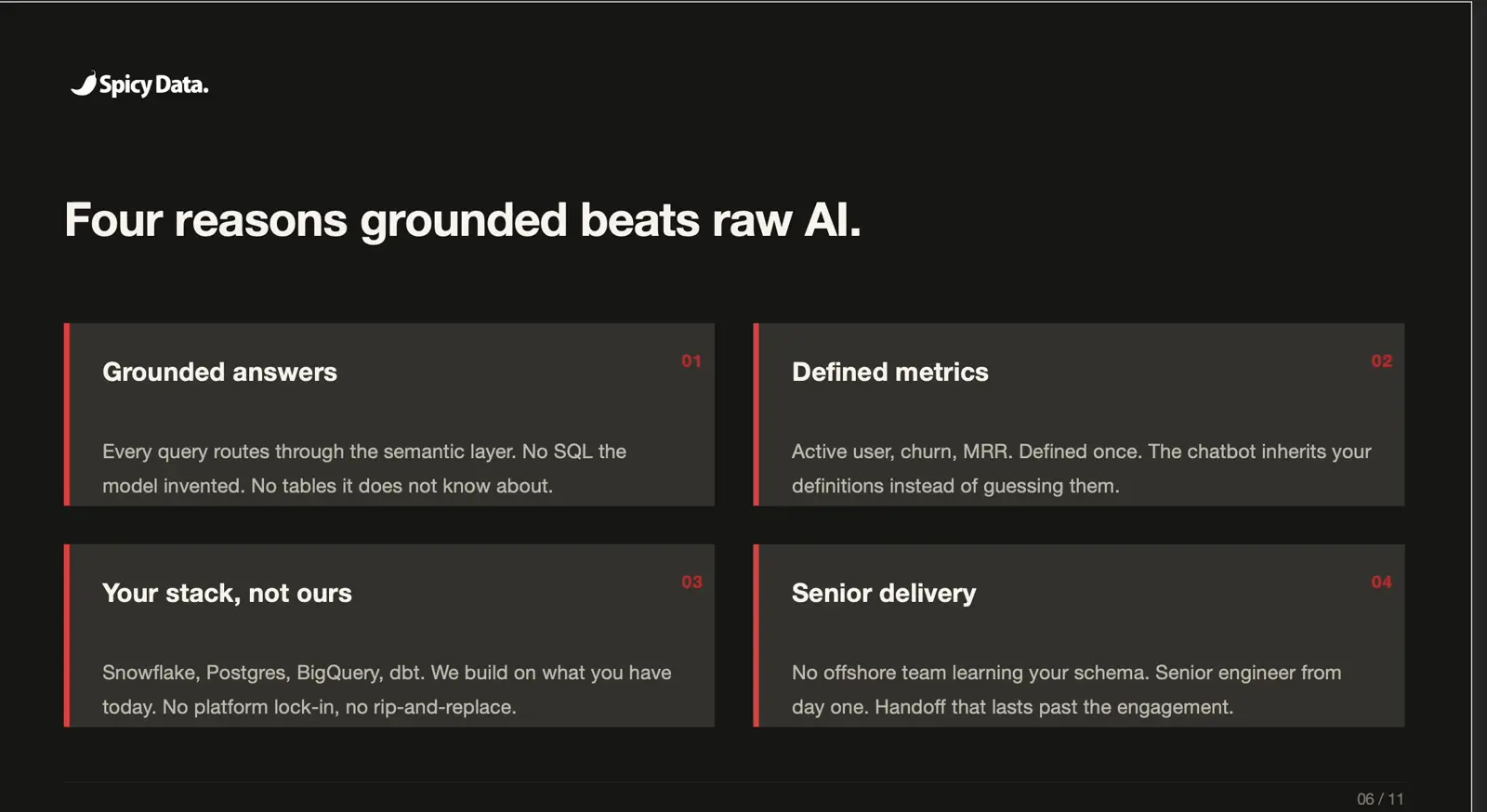
Pillars slide rendered in dark mode, chili hero. Same template, different content, different theme parameters.
Parametric controls for free
When the architecture is content / layout / style, you get knobs for free.
# build a deck from a YAML spec
node scripts/build-deck.mjs my-pitch.yaml ~/Desktop/pitch.pptx

# same content, different hero color
node scripts/build-deck.mjs my-pitch.yaml ~/Desktop/pitch.pptx --hero cobalt

# same content, light mode for printed handouts
node scripts/build-deck.mjs my-pitch.yaml ~/Desktop/pitch.pptx --mode light

# render the same spec across all 8 hero hues
node scripts/build-all-heroes.mjs my-pitch.yaml ~/Desktop/heroes/
Eight .pptx files in twenty-five seconds. The point is not that you will do this every day. It is that when the architecture supports it, the cost of trying drops to zero. That changes what you bother to try.
The skill wrapper: collapsing to two creative choices
The CLI is fine for engineers. For the moment I actually need to ship a deck, even three CLI flags feel like friction. So I wrapped the pipeline in a deterministic Claude Code skill: /build-spicy-deck.
The skill asks two questions:
- Hero color. Picker with all eight named options plus hex previews.
- Mode. Dark or light.
Then it builds and opens the file. Two clicks total. Notice what the skill does not ask about: font, spec path, output filename, footer tag, slide content, layout choices. This is what "deterministic" means in skill design. The skill removes choice points the user does not need to make. The two questions are the two genuinely creative choices for a same-content, different-context build. Everything else has a smart default.
When I need to actually edit the story, change a number, swap a quote, rewrite the pillars, I open the YAML directly. The skill handles the format. The YAML handles the content. They never bleed into each other.
Where AI fits
I do not typically prompt Claude to "build me a deck." I prompt it to "write a 12-slide pitch outline for Acme Corp focused on migration savings." Claude returns a YAML spec I can review, edit, and build. The template enforces the design quality. The AI accelerates the content work. I curate the message.
This is the inverse of how most "AI deck tools" work. They generate slides directly and hope the layout looks okay. The template-first approach generates a spec, and the layout is guaranteed to look right because a designer already solved that part. Claude does not have to know the grid system. The grid system is in the code.
The recursion: time saved gets reinvested
The point of a skill like this is not the skill. It is what you do with the time it gives back.
Before this template existed, a custom pitch deck was a four-hour task. Now it is a fifteen-minute task: ten minutes of writing YAML, three seconds of build time, two minutes of review. The hours that used to go into formatting (nudging text boxes, recoloring icons, balancing whitespace) now go into the content itself: sharpening the message, picking the right number, rewriting the cover until it lands.
That is the loop. Build the boring parts with Claude. Spend the time you save building more with Claude. Compounding shows up faster than people think.
What I would build next
- Spec generation prompt template. A reusable Claude prompt that turns "client X, problem Y, our offer Z" into a full pitch YAML in one shot. Half the value of the system unlocks when the spec itself is one prompt away.
- More slide types. A logo wall. A roadmap or timeline. A pricing comparison. Each one is about eighty lines of pptxgenjs and locks in another pattern I would otherwise rebuild manually.
- Schema validation. A fifty-line Zod spec that catches typos in slide type or required fields at parse time, instead of at runtime.
- Custom heroes. A function that takes a single hex and generates a 9-step ramp would let any client's exact brand color drop in.
Takeaways
- The bottleneck in deck production is layout, not content. Solve layout once with a designer-grade template. Stop solving it slide by slide.
- Separate content, layout, and style. Once they are three layers instead of one bundled file, you get parametric controls for free.
- Templates are infrastructure, not artifacts. A template you will use fifty times is worth two days of investment. A deck you will send once is not.
- Smart defaults beat clever flags. The CLI exposes
--hero,--mode,--font. The skill exposes only--heroand--mode, because those are the two things that genuinely vary per deck. - Use AI to write the spec, not the slides. The template enforces design rules the AI does not know. The AI accelerates content the template does not care about. They are complementary.
- Compounding is real. Every hour a skill returns is an hour you can spend building the next one.
Try it
The full sanitized skill, including the eight hero color ramps, four hundred pre-rendered icons, the YAML schema, the slide builders, and the deterministic skill wrapper, is on GitHub: github.com/joshbricel/claude-spicy-deck. Fork it, replace the logos and the palette, and ship better decks.
If you want help building this kind of skill for your team's actual workflows (deck building, semantic layer management, dashboard QA, anything that takes a senior person two hours and could take Claude two minutes), that is what we do. Senior talent. AI-native delivery. Ready to add some spice?